Lelaris Labs

Frequative — Android

A spectrum analyzer that shows the signal.

Real-time FFT analysis of live audio, with the controls that shape a measurement kept in plain sight.


Sources

Two ways to listen

Microphone

Analyse the room

Frequative reads the device microphone and renders the spectrum in real time. Useful for looking at a room, a speaker, an instrument, or any source in front of the device.

Microphone analysis requires the Android microphone permission, which the app asks for at the point it is first needed.

System Audio

Analyse playback directly

On supported Android 10+ devices, Frequative can capture the system playback stream and analyse it without a microphone in the path — no room acoustics, no ambient noise.

System Audio captures the audio stream only. It does not capture screen pixels, and the microphone contributes nothing while it is active.

On availability. System Audio depends on Android's playback-capture API. Some apps and some audio streams can opt out of capture at the platform level, and availability varies by device and Android version. Where the platform will not provide the stream, Frequative says so rather than substituting the microphone.

Reading a measurement

Freeze it, then compare

A single live spectrum tells you what is happening now. Most real questions are comparisons.

Reference

Hold a baseline

Capture the current spectrum and keep it as a frozen reference for the session.

Overlay

See both at once

Draw live audio against the frozen reference as a ghost trace behind it.

Delta

Read the difference

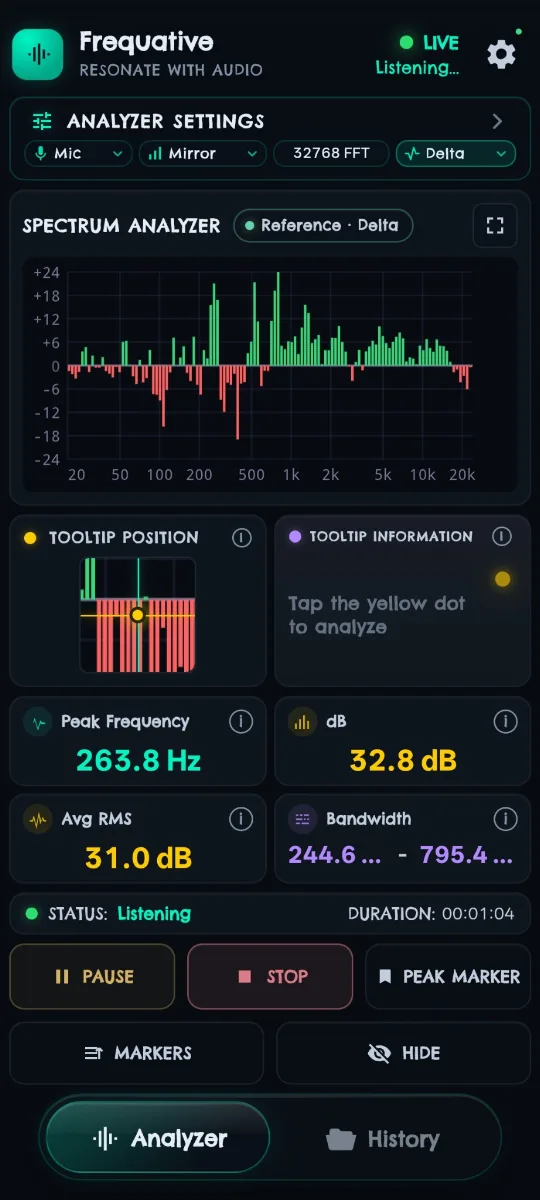
Switch to per-band difference and read how far live audio has moved from the baseline.


Full capability list

What Frequative does

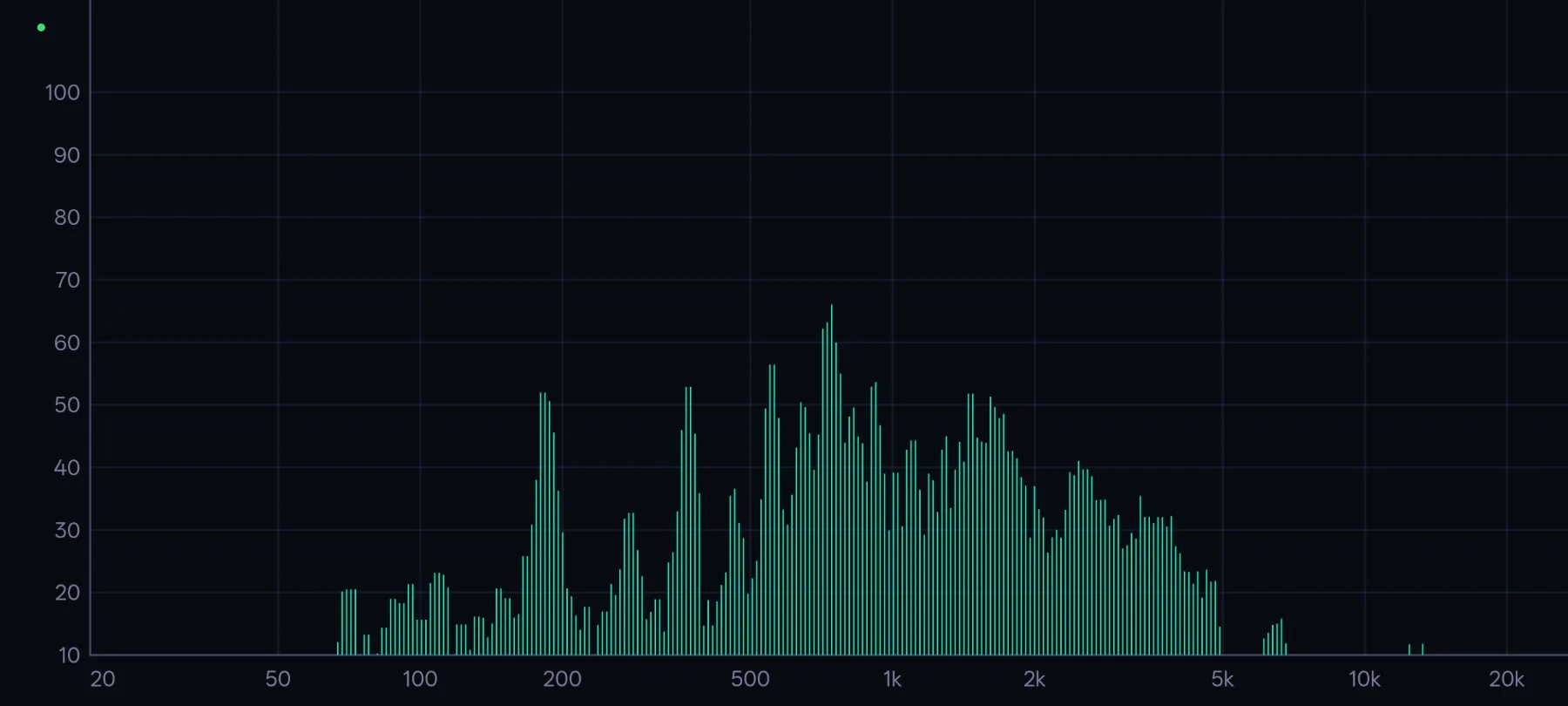
Real-time spectrum analysisLive FFT rendering in bar, line and mirrored display modes.
Microphone analysisAnalyse audio picked up by the device microphone.
System AudioPlayback capture on supported Android 10+ devices.
Reference captureFreeze the current spectrum as a session baseline.
Delta comparisonPer-band difference between live audio and the reference.
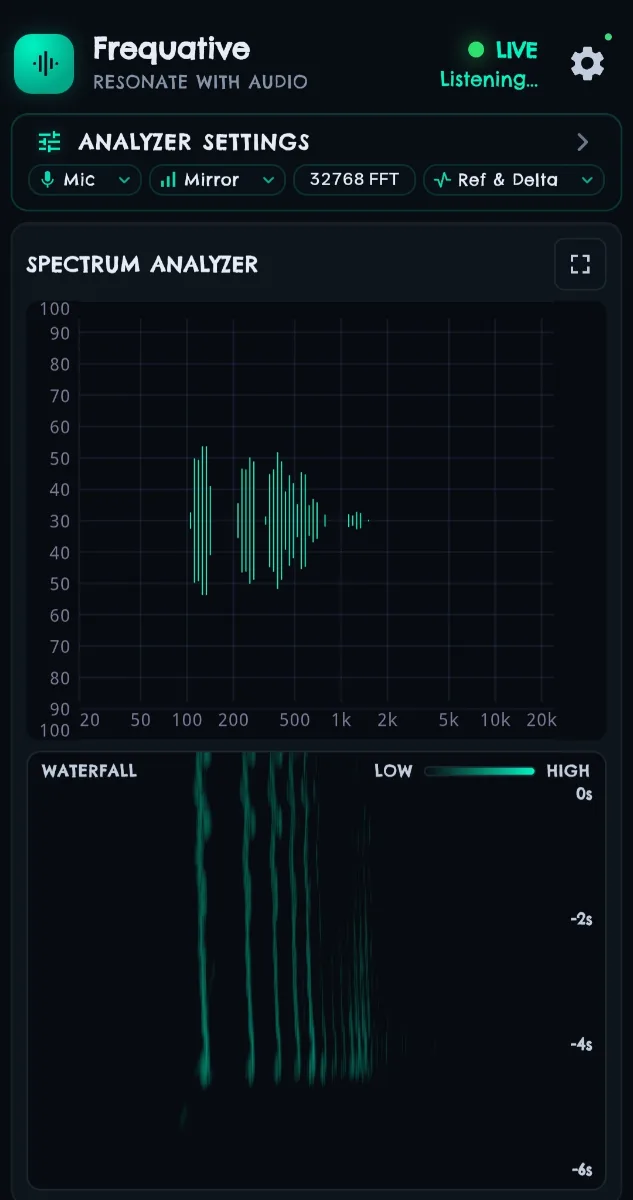
WaterfallSpectral history rendered over time.
Fractional-octave analysisGroup the spectrum into octave-fraction bands.
FFT size controlsTrade frequency resolution against time responsiveness.
SmoothingControl how heavily the display is averaged.
Frequency-range controlsConstrain the display to a range of interest.
Peak HoldRetain the highest level reached per band.
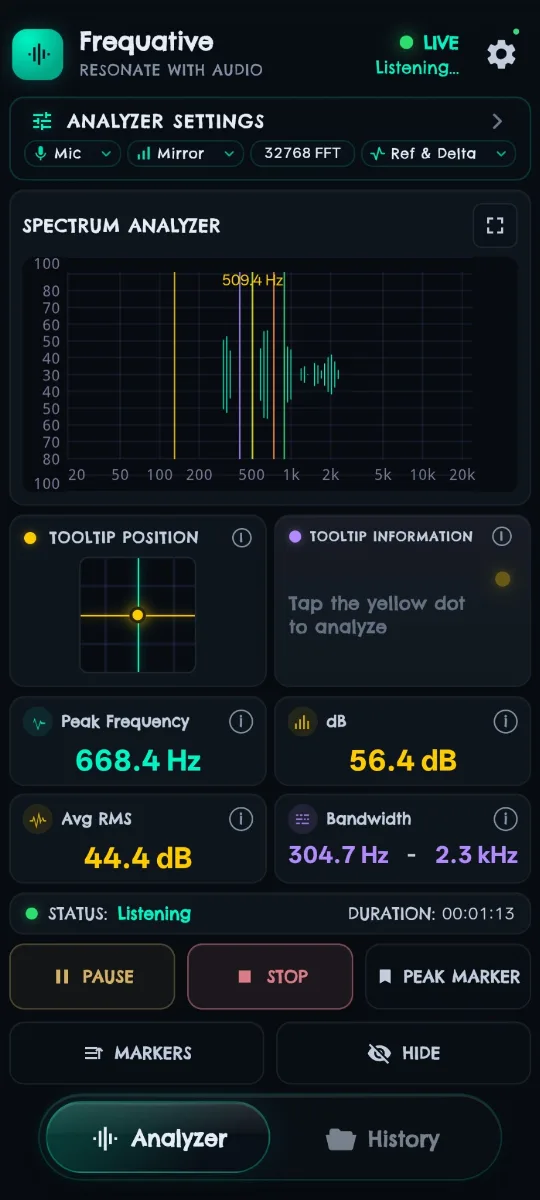
Peak MarkersLabel significant peaks on the display.
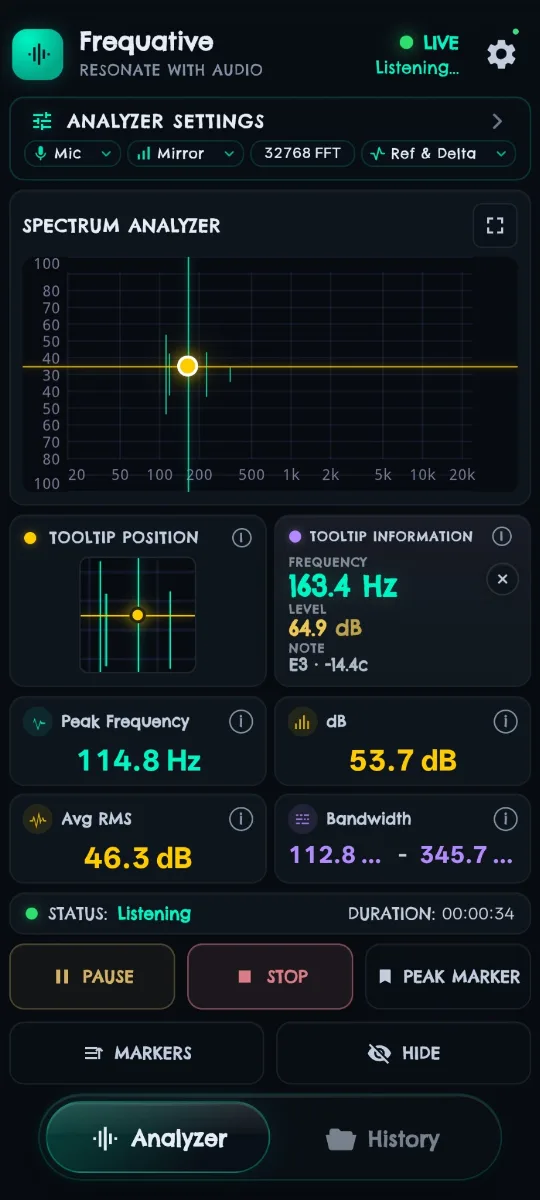
Tooltip inspectionHold a point to read its frequency, level and nearest musical note in cents.
Fullscreen analyzerA dedicated full-viewport analysis view.
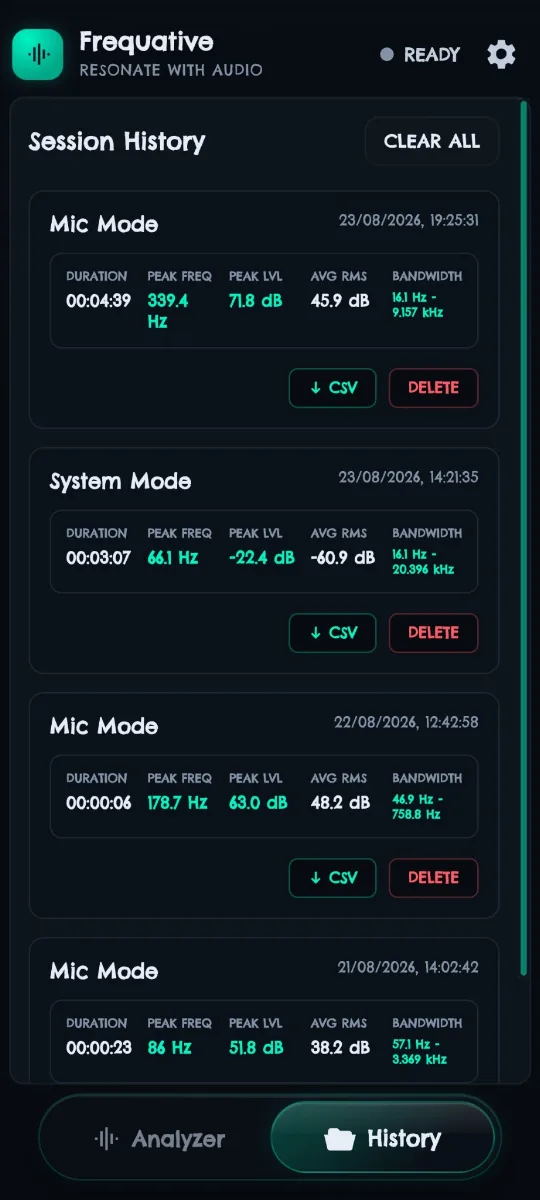
Session HistoryReview earlier analysis sessions stored on the device.
CSV exportExport session measurements for external analysis.
On-device processingAudio is analysed locally; the app makes no network requests of its own.
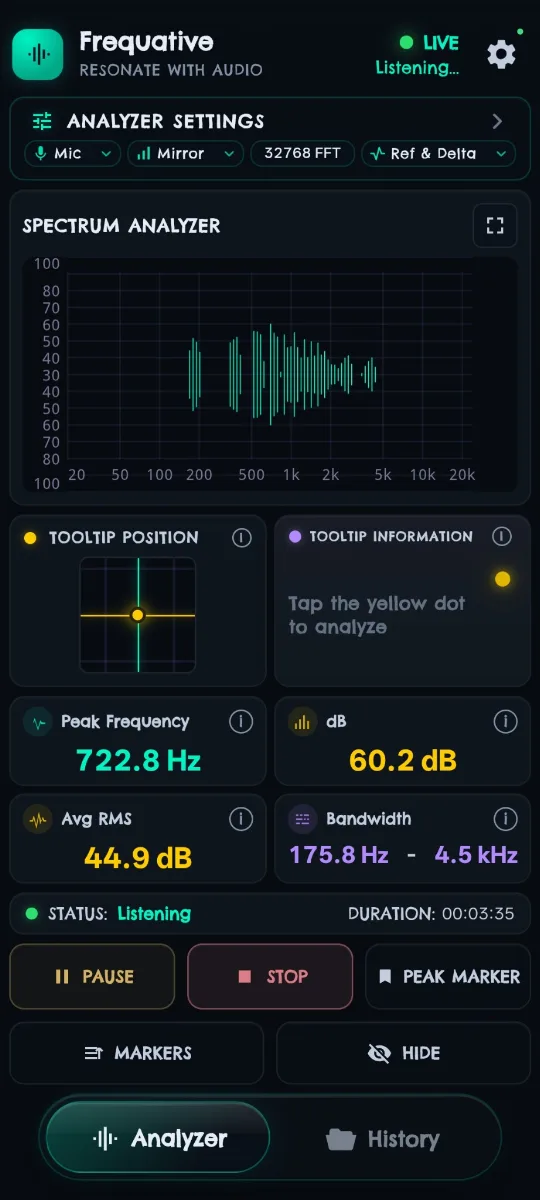
Frequative analysing microphone input in mirrored bar mode, showing a peak frequency of 722.8 Hz at 60.2 dB with a 32768-point FFT.
Main spectrumLive FFT, mirrored view
Frequative's tooltip inspection panel reading 163.4 Hz at 64.9 dB, identified as note E3 minus 14.4 cents.
Tooltip inspectionFrequency, level and note
Frequative in Delta mode, showing per-band differences from a frozen reference as green bars above the zero line and red bars below it.
Reference & DeltaBaseline comparison
Frequative showing the spectrum analyzer above a waterfall view tracking six seconds of spectral history.
WaterfallSpectrum over time
Frequative's immersive fullscreen analyzer in landscape, with frequency from 20 Hz to 20 kHz across the horizontal axis and level up the vertical axis.
Fullscreen analyzerImmersive landscape view — double-tap to enter

Frequative Pro

What Pro adds

Frequative is usable on its own. Pro is a subscription that unlocks the deeper analysis modes and the full session archive.

Included free

Core analysis

  • Microphone analysis
  • Real-time spectrum — bar, line, mirrored
  • FFT size and smoothing controls
  • Frequency-range controls
  • Peak Hold and Peak Markers
  • Fullscreen analyzer
  • CSV export
  • Access to your ten most recent sessions
Pro

Deeper analysis

  • System Audio — playback capture on supported Android 10+ devices
  • Reference — freeze a baseline spectrum
  • Delta — per-band comparison against the baseline
  • Waterfall — spectral history over time
  • Fractional-octave — octave-fraction band analysis
  • Full History — up to 50 stored sessions instead of the newest ten
Frequative's Session History listing past Mic Mode and System Mode sessions with duration, peak frequency, peak level, average RMS and bandwidth, each with CSV export and delete actions.
Session HistoryPast sessions, with CSV export
Frequative with peak markers placed on the spectrum, one labelled 509.4 Hz, alongside a live peak frequency of 668.4 Hz at 56.4 dB.
Peak MarkersLabelled peaks on the spectrum
Pricing. Frequative Pro is a Google Play subscription with monthly and annual options. Current prices are shown in the app and on Google Play in your local currency — we do not publish them here, because Play sets them per region and they can change.

Scope

What Frequative is not

Being clear about this matters more to us than a longer feature list.

  • It is not a calibrated sound level meter, and it does not report calibrated SPL.
  • It is not a laboratory measurement instrument or an acoustic calibration system.
  • It is not a hearing test or any kind of medical or diagnostic device.
  • Levels are relative to the Android audio pipeline and the device hardware, which varies between devices.

Get Frequative